Getting started
Test Hub brings structured test management into Azure DevOps. Test collections, suites, test cases, and test runs are all stored as real Azure DevOps work items, so everything stays queryable, linkable, and under your control.
Install
- 1
Install the extension
Install Test Hub from the Azure DevOps Marketplace into your organization.
Open the Marketplace - 2
Activate the free trial
The first time you open Test Hub, activate the free trial. This is done once for the whole organization.
- 3
Set up your project
Open Test Hub in a project and the configuration wizard appears automatically. It runs once per project, so set it up in each project where you want to use Test Hub.
Set up
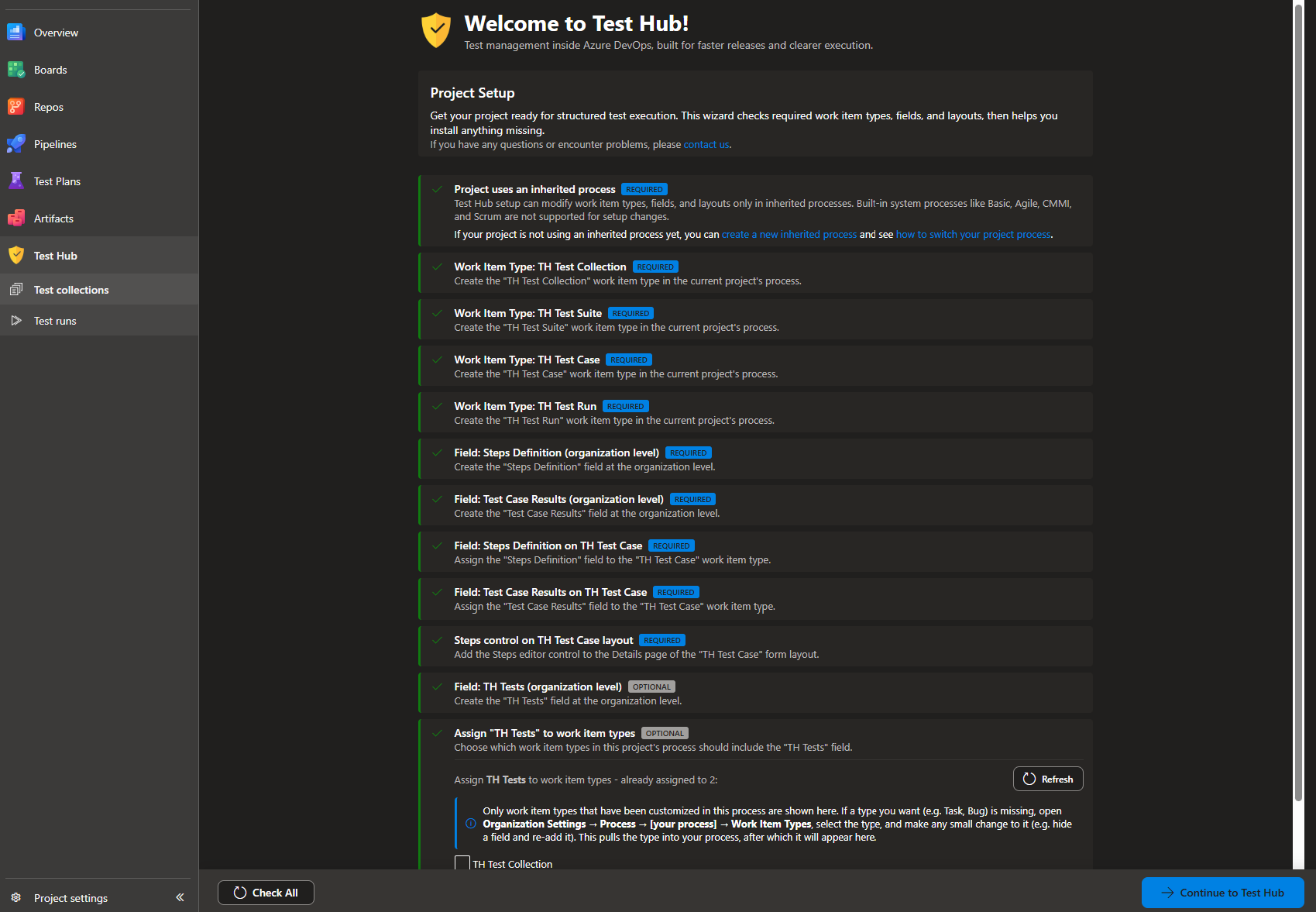
The first time you open Test Hub in a project, the built-in configuration wizard checks that the project has everything the extension needs and helps you install whatever is missing. Test Hub works with real Azure DevOps work items, so it needs a few work item types, some fields, and one form layout change before you can start.
Setup is per project
The configuration wizard is shown once for each project. If you use Test Hub in more than one project, run the wizard in every project where you want to use it.
Why an inherited process?
Test Hub stores tests as custom work item types and custom fields, and it adds a steps editor to the test case form. Azure DevOps only allows those changes in an inherited process, so your project has to use one. Built-in system processes such as Basic, Agile, CMMI, and Scrum cannot be modified: create an inherited process from one of them and switch your project to it first. The wizard links you straight to the right place if this is the first thing you need to do.
Work item types
The wizard creates four work item types. They are regular Azure DevOps work items, so they can be queried, linked, and tracked like anything else.
- TH Test Collection - the top level that groups everything for an area, feature, or release.
- TH Test Suite - a group of related test cases inside a collection.
- TH Test Case - a single test with its steps, test data, and expected results.
- TH Test Run - a snapshot of the test cases you selected to execute.
Fields
It also creates the fields Test Hub uses to store test data, and assigns the ones the test case needs.
- Steps Definition - stores the steps, test data, and expected results of a test case.
- Test Case Results - stores the latest result of a test case.
- TH Tests - stores a short summary of the test results for a work item, so it can be shown on cards and in queries.
The Tests field is optional
Assign the TH Tests field to the work item types whose cards should show test results - for example a user story, so you can see how many of its tests passed, failed, or are still to run.
See how to use Tests field